
Short answer: A dental SEO audit looks at four areas: technical health, on-page content, local presence, and trust signals. This checklist gives you 25 items, listed in the order that matters most. Use it to find what keeps new patients off your site.
A dental SEO audit is a review of your website and local business profiles. It shows what holds back your visibility on Google. You can run a first pass yourself in one afternoon with free tools. Want a pro to look it over? Our dental SEO audit covers the same ground in more depth.
In This Article
Key Takeaways
- Start with technical checks, If Google cannot crawl or index a page, nothing else on that page matters.
- Give every treatment its own page with a clear title, headline, and call to action.
- Your Google Business Profile, address details, and reviews usually decide who shows up in the map results.
- Track your calls and form fills. You cannot fix what you cannot measure.
- Fix problems by impact and effort, not in the order you found them.
- Repeat the audit every quarter. Run it again after any website redesign or move.
See What Your Website Is Missing
Get an expert review of the same checks in this guide, matched to your practice.
What a Dental SEO Audit Actually Covers
Many practice owners hear “SEO audit” and picture a 60-page report full of jargon. A good audit answers three plain questions:
- Can Google find and understand your pages?
- Do your pages match what patients search for?
- Do patients trust you enough to call?
The checklist has four areas. Work through them in order. Later areas depend on earlier ones.
| Area | What you check | Free tools to use |
|---|---|---|
| Technical (items 1 to 8) | Security, mobile use, speed, index status, errors | Google Search Console, PageSpeed Insights |
| On-page (items 9 to 15) | Titles, headers, service pages, images, links | Your site, a browser, a spreadsheet |
| Local (items 16 to 21) | Profile, address details, directory entries, location page | Google Business Profile, Google Maps |
| Trust and conversion (items 22 to 25) | Reviews, contact options, call and form data, compliance | Google Analytics, your phone, your forms |
Make a spreadsheet with one row per check and three columns: status, notes, and owner. This turns a vague worry about SEO into a task list. Your office manager, web provider, or agency can work through it. It also gives you a record to compare against next quarter.
An audit finds problems. It does not fix them. Plan time and budget for the fixes, and decide who owns each one before you start.
Tip: Set up Google Search Console first if you have not yet. Most of the technical checks below use its reports.
Technical Checks: Can Google Reach and Trust Your Site?

Technical problems do the most damage because they can hide whole pages from Google. They are also often the quickest to fix once you spot them.
Security, Mobile, and Speed
- HTTPS on every page. Every page should load on HTTPS. The HTTP version should send visitors to it automatically.
- Mobile usability. Open your key pages on a real phone. Make sure text is easy to read, buttons are easy to tap, and nothing overlaps.
- Page speed and Core Web Vitals. Run your homepage and one service page through PageSpeed Insights. On dental sites, big uncompressed photos usually cause the slowdown.
Index and Crawl Checks
1. Index coverage: In Search Console, compare the pages Google has indexed with the pages you expect it to index. A big gap needs attention.
2. Robots.txt and noindex tag: A leftover noindex tag from a redesign can quietly pull your service pages out of Google.
3. Broken links and redirect chains: Use a crawler (free or paid) on your site. Fix every 404 error. Also fix any redirect that hops more than once or twice.
4. Duplicate and canonical URLs: Give each page one preferred address. Make sure the version with www and the version without it do not compete.
5. Structured data: Check that your schema markup shows your practice name, address, hours, and services correctly. It must match what visitors see on the page.
Google’s own guide on whether you need SEO is a useful reference if you decide how much to handle in-house.
Pay close attention to what changed recently. If traffic dropped after a redesign, a plugin update, or a host change, a technical option probably flipped by accident. Compare your current setup with the old site.
Test the pages that bring in the most revenue. A beautiful homepage does little if your implant page loads slowly or is absent from Google. Check these pages one by one. Do not rely on a sitewide score.
Tip: Submit your XML sitemap in Search Console. Check it again after every major site change. It takes two minutes and shows you right away if Google skips any pages.
Not Sure If Google Can Find Your Pages?
We check crawl, index, and speed in every audit. We explain the results in plain English.
On-Page and Content Checks
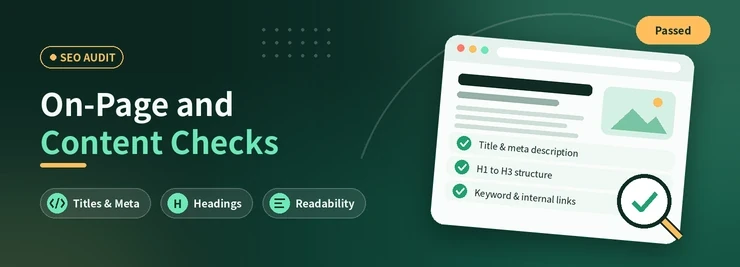
Once Google can reach your pages, ask a new question: does each page say clearly what it is about? Many practices lose ground to competitors with simpler, more focused sites.
Titles, Headers, and Descriptions
1. Title tags: Each page needs a unique title that names the service and city. Keep it short so Google does not cut it off in results.
2. Meta descriptions: These do not rank pages directly, but a clear one earns more clicks. Write one for every important page.
3. One H1 per page: The main headline should name the treatment or topic in plain words. Skip the slogan.
Service Pages, Images, and Links
1. A page for each treatment: Implants, Invisalign, emergency care, and cosmetic work each need their own service page. One line in a list is not enough.
2. Original location content: Name the neighborhoods you serve, say where patients can park, and answer what people in your area ask. Do not copy text or use templates.
3. Image alt text and file size: Describe what each photo shows. Compress large files.
4. Internal links: Link from your homepage and blog posts to your service pages. Make sure no important page sits alone with no links pointing to it.
If your service pages are thin, our dental website development and dental content pages show how we build them out.
Read each service page the way a nervous new patient would. Does it explain what the treatment involves, who it suits, what to expect on the day, and how to book? Pages that answer these questions hold attention. They also give Google clear material to match a search.
Do not cover every service on one long page. A single page that tries to cover cleanings, crowns, implants, and whitening rarely answers any one search well.
Tip: Search your own treatment name plus your city. If a competitor’s page shows up and yours does not, open both and compare how much a patient can learn from each.
Local SEO and Google Business Profile Checks
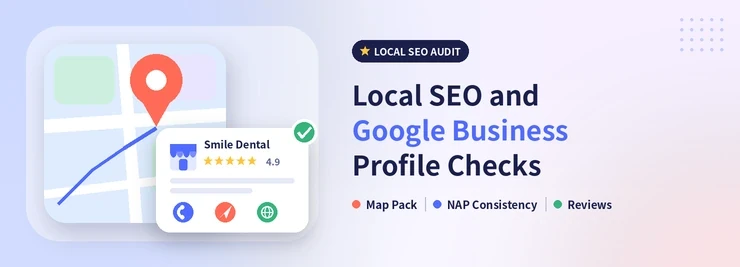
For most practices, map results bring in more calls than regular search results. Google says local rank depends on relevance, distance, and prominence. Your audit should test all three.
1. Claimed and verified profile: Confirm you own your Google Business Profile. Google shows how in its guide to verifying your business.
2. Categories and services: Set your primary category to Dentist or the closest specialty. Add accurate secondary categories and services.
3. Consistent name, address, and phone (NAP): Make them match exactly on your website, your profile, and major directories.
4. Citations: Check the main directories and health sites for duplicates or old addresses.
5. Hours, photos, and posts: Keep holiday hours current. Add recent, real photos. Post updates now and then.
6. A location page that matches your profile: The website link on your profile should lead to a page with the same address and phone number.
Our guide on why a dental practice is not showing on Google Maps explains the common causes. The Google Business Profile service page shows how we manage the profile side
Tip: Never stuff keywords into your business name. Use your real name, as Google’s profile guidelines ask. Break the rules and Google can suspend your profile.
Trust and Conversion Checks
Traffic only helps if it turns into booked appointments. This last group of checks looks at what a patient sees and does after they land on your site.
1. Review count, recency, and replies: Compare your review count and average rating with your three nearest competitors. Reply to reviews, but never share patient details. See our guide to getting more Google reviews.
2. Easy contact options: On a phone, can a visitor tap to call? Can they find an appointment form within one or two taps?
3. Call and form data: Make sure Google Analytics or a call analytics tool records every call, form submission, and appointment click.
4. Trust and compliance pages: Add team bios, credentials, a privacy policy, and forms that protect patient information.
These checks are easy to miss because they sit between your website and your front desk. But a missed call, or a form that sends no confirmation, can waste the work behind every other item on this list. Ask your front desk how new patients usually reach you. Then confirm each path works.
Do Not Forget AI Search
Patients now ask AI assistants where to find a dentist. Clear service pages, matching business details, and accurate structured data help these tools understand your practice. Our AI dental SEO page explains more.
How to Prioritize What You Find
An audit can produce 80 findings. That list helps only if you know where to start. Sort each finding by two questions: How much does it hurt patient visibility? How hard is it to fix?
| Priority | Example finding | What to do |
|---|---|---|
| Fix now. | Pages set to noindex, site not on HTTPS, wrong phone number | Fix right away, then recheck in Search Console |
| Fix this month. | Service pages that do not exist, duplicate titles, or unverified or wrong profiles | Plan the content and update your profiles. |
| Plan for next quarter | Thin location content, weak internal links, few reviews | Add them to your regular to-do list |
Run the checklist again every quarter. Always run it after a redesign, domain change, or office move. SEO results take time. Our article on how long local SEO takes for dentists sets realistic expectations.
The Bottom Line
A dental SEO audit is not about a perfect score. It is about clearing the path between patients and your practice. Fix the technical basics. Give every treatment a clear page. Clean up your local profiles. Make it easy to call.
Want a deeper review built around your practice? See our dental SEO audit and our wider dental SEO service.
Ready to Find Your Biggest Gaps?
Request a free audit and get a clear, prioritized list of what to fix first.
 10 years in dental SEO
I’m James Wilson, a dental SEO specialist with ten years of experience. I help dentists show up higher on Google, get found by patients in their area, and turn website visits into booked appointments. My work covers local SEO, keyword research, Google Business Profile optimization, and website content written for dental practices. I also share straightforward SEO tips that help dentists with everyday marketing problems, stand out from nearby competitors, and reach the patients who are searching for the care they offer.